



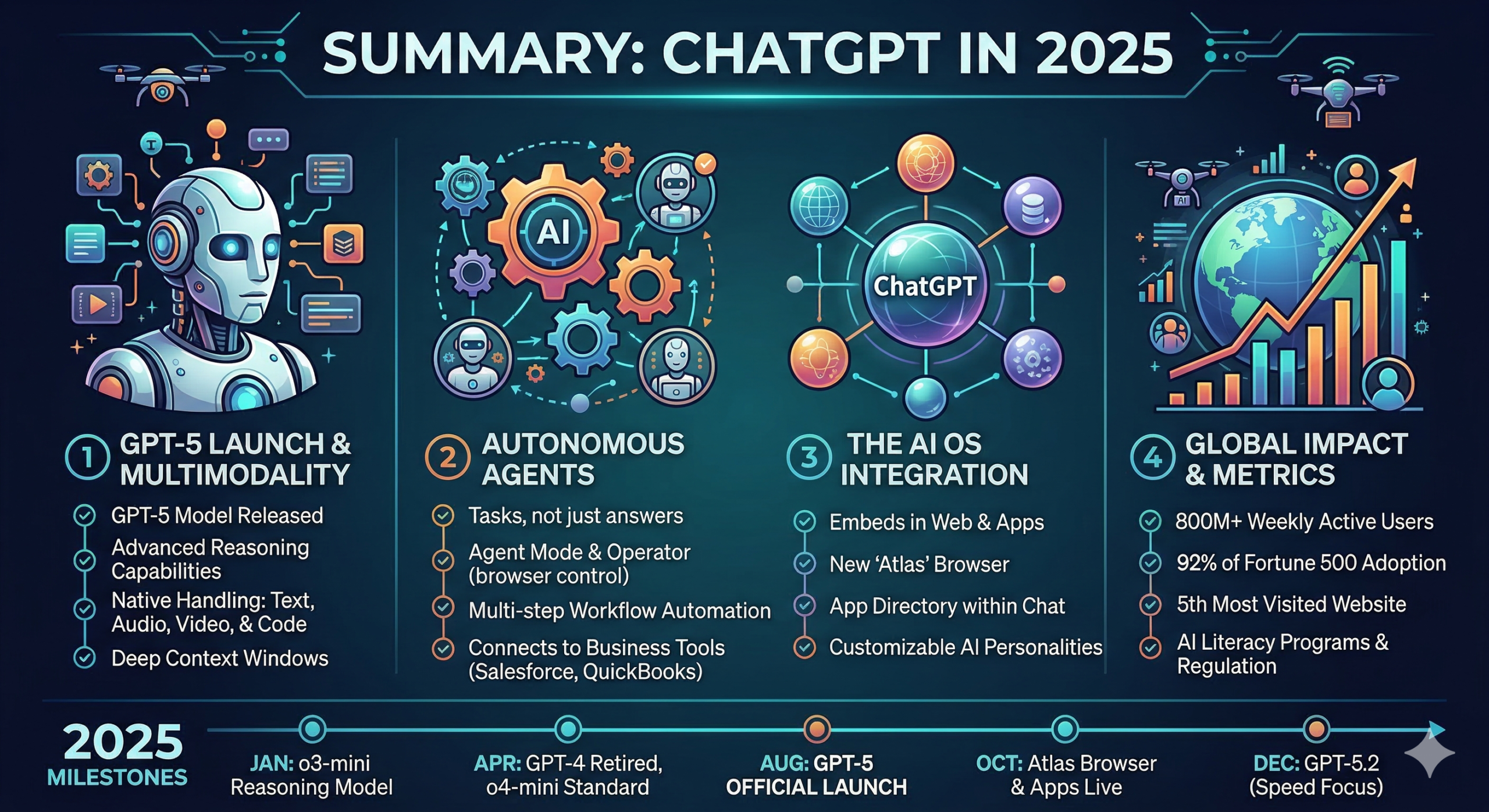
In 2025, ChatGPT transitioned from being a powerful chatbot to a comprehensive AI OS (Operating System). The year was defined by the long-awaited release of GPT-5, the introduction of autonomous “agents,” and a massive shift toward “reasoning” models that think before they speak.
Below are the highlights and key milestones of ChatGPT’s 2025.
The Main Event: GPT-5 & “Reasoning”
The defining technical achievement of 2025 was the launch of GPT-5 in August.
- Thinking vs. Talking: Unlike previous models that generated text instantly, GPT-5 integrated the “reasoning” capabilities seen in the 2024
o1series. It can now toggle between “Instant” mode for simple tasks and “Extended Thinking” for complex math, coding, or logic. - Multimodality 2.0: GPT-5 natively understands and generates text, images, high-fidelity audio, and short video clips within a single conversation thread.
- Massive Context: The model can now handle up to 1 million tokens, allowing users to upload entire books, massive codebases, or hour-long meeting transcripts without the AI “forgetting” the beginning.
The Rise of AI Agents
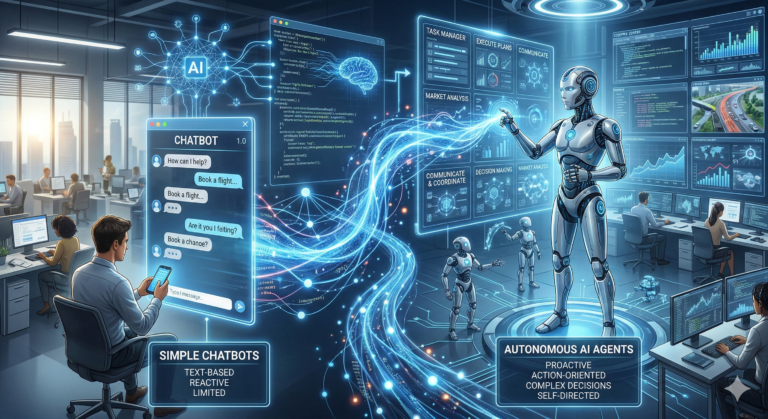
OpenAI shifted focus from “answering questions” to “completing tasks” with the introduction of Operator and AgentKit.
- Autonomous Tasks: ChatGPT can now perform multi-step workflows, such as researching a topic, synthesizing a report, drafting an email, and scheduling a follow-up—all without constant user prompts.
- App Directory: A new “App Store” inside ChatGPT allows third-party services like Canva, Spotify, and Shopify to run natively. You can now buy products or design graphics directly within the chat interface.
- Connectors: For professionals, ChatGPT gained “Connectors” for tools like Google Drive, Slack, and GitHub, allowing it to “read” your work files in real-time to provide context-aware help.
Features & User Experience
- ChatGPT Atlas: OpenAI launched its own browser, Atlas, which embeds the ChatGPT assistant directly into the web navigation experience to compete with Chrome and Safari.
- Pulse: A daily personalized briefing feature that analyzes your chats, emails, and calendar to give you a “morning report” of your tasks and goals.
- “Your Year with ChatGPT”: Similar to Spotify Wrapped, this year-end feature provides users with a summary of their 2025 activity, including “archetypes” (e.g., “The Creative Visionary”) and usage stats.
- Advanced Voice Mode: Became the default for mobile users, offering near-zero latency and the ability to detect emotional nuances in a user’s voice.
2025 Growth & Impact
| Metric | 2025 Milestone |
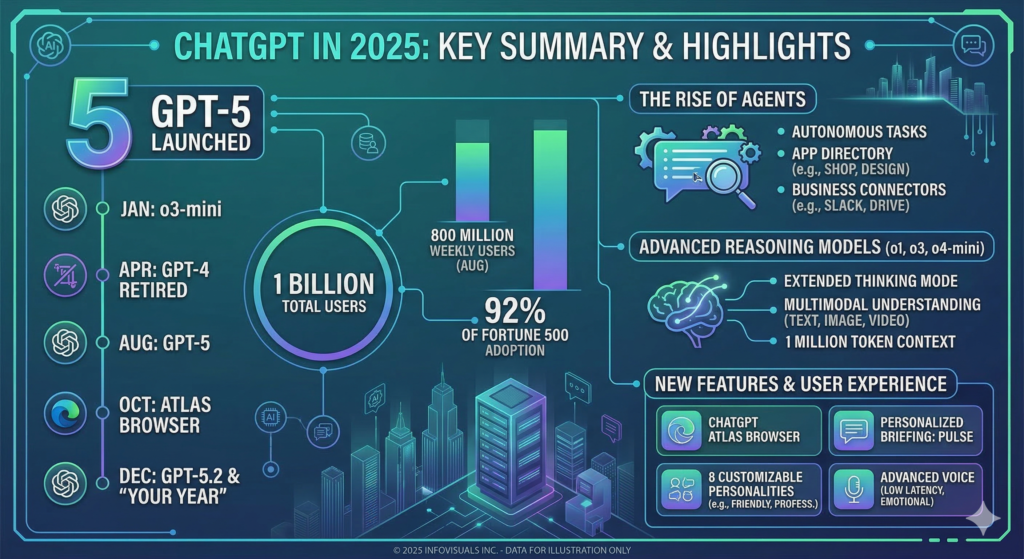
| Weekly Active Users | Hit 800 million by July 2025. |
| Enterprise Adoption | 92% of Fortune 500 companies now use ChatGPT. |
| Web Ranking | Became the 5th most visited website globally. |
| Model Versions | Released GPT-5, GPT-5.1 (Personalities), and GPT-5.2 (Agentic Workflows). |
Export to Sheets
Key 2025 Timeline
- January: Launch of
o3-mini, the successor to the original reasoning models. - April:
GPT-4is officially retired;o4-minibecomes the new standard for free users. - August: GPT-5 officially launches.
- October: Atlas Browser and the App Directory are released.
- December: “Your Year with ChatGPT” goes viral; GPT-5.2 becomes the active flagship model.
In 2025, ChatGPT shifted from a tool that answers questions to a tool that gets things done. This was powered by a new “Agent Mode” and the release of OpenAI Operator, which allows the AI to literally take control of a web browser to complete multi-step tasks.
Here is a deep dive into how these business workflows changed the game in 2025.
The “Agent Mode” Architecture
Unlike standard chat, where you prompt and it responds, Agent Mode follows a three-step cycle:
- Reasoning & Planning: When you give it a goal (e.g., “Find the top 5 competitors, put them in a sheet, and draft a comparison email”), it first generates a visible Execution Plan.
- Autonomous Action: It opens a “Virtual Workspace” (a secure, cloud-based browser) where it can navigate websites, click buttons, and fill out forms just like a human.
- Human-in-the-Loop: For “irreversible” actions—like sending an email to a client or making a payment—it pauses and asks for your final “OK.”
Top Business Use Cases in 2025
| Category | What the Agent Does |
| Sales & CRM | Researches leads on LinkedIn, summarizes their recent posts, and drafts personalized outreach in Salesforce. |
| Finance | Opens your bank/Stripe portal, exports transactions, reconciles them with invoices in QuickBooks, and flags mismatches. |
| Operations | Books travel (flights, hotels, rental cars) based on your calendar and specific preferences, then adds the itinerary to your email. |
| HR & Hiring | Screens incoming resumes against a job description, ranks them, and drafts interview invitation emails to the top candidates. |
Tools for Builders: AgentKit
For businesses that want to build their own custom internal agents, OpenAI released AgentKit in late 2025:
- Agent Builder: A “drag-and-drop” visual canvas where you can link different AI models, tools (like Google Drive or Slack), and logic nodes together without writing code.
- Connector Registry: A central dashboard for IT admins to safely manage which employees have access to specific company data (e.g., “The Marketing Agent can read Google Drive, but cannot access Payroll data”).
- ChatKit: A toolkit that lets companies embed these powerful agents directly into their own internal websites or apps.
Limits & Costs
- Quotas: In 2025, Plus users typically get 40 agent missions per month, while Pro and Team users get 400+.
- Time Limits: Most agent tasks are designed to complete within 5 to 30 minutes. If a task is too complex, it will pause and ask for more guidance.
- Security: To keep things safe, agents cannot solve CAPTCHAs or bypass Two-Factor Authentication (2FA)—you still have to do the “human” parts of logging in.
Pro Tip for 2025: Don’t waste your limited Agent Quotas on simple questions. Use the standard (unlimited) ChatGPT to brainstorm your plan first, then switch to Agent Mode only when you’re ready for the AI to go out and execute the work.
About the Author